

Optoma W330UST
Ultra Short Throw Projector
E1P1A1FWE1Z1
Ultra short throw projector
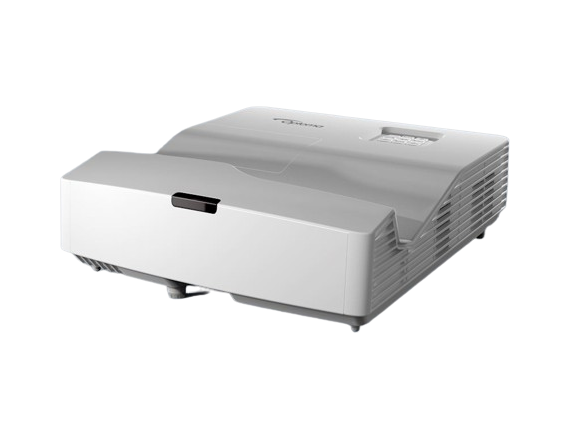
The W330UST, is perfect for businesses, schools and colleges. It is bright with an ultra short throw meaning it can project a 100” image from less than 0.5m away. And having the projector installed so close to the wall avoids any shadows being cast across the screen from the presenter(s).
It provides a complete package for engaging learning with many new features, including two HDMI inputs, powered USB port, native office viewer and powerful 16W built-in speaker.
Features
Bright WXGA projector - 3600 ANSI Lumens
Ultra short throw lens - 100" image from less than half a metre away
Ultimate Control - Crestron, Extron, AMX, PJ-Link and Telnet LAN commands
Easy connectivity - 2x HDMI and built-in 16W speaker
Ultra Short Throw
With an ultra-short throw lens, you can project an impressive image greater than 100” from less than a metre away from the projection surface. This allows you to place the projector closer to the wall, reducing shadows so you can present with ease; perfect for interactive applications.
Amazing colours
Give powerful presentations and educational lessons with stunning colours. Optoma projectors provide reliable colour performance suitable for any content and environment. From accurate sRGB colours for lifelike images to vibrant punchy presentations. We have a display mode to specific meet your needs. Perfect for a range of graphic and video presentations.
Superior contrast
Add more depth to your image with a high contrast projector. Compared to competing technology, Optoma DLP projectors provide you with brighter whites and ultra-rich blacks, images come alive and text appears crisp and clear - ideal for business and education applications.

Native office viewer
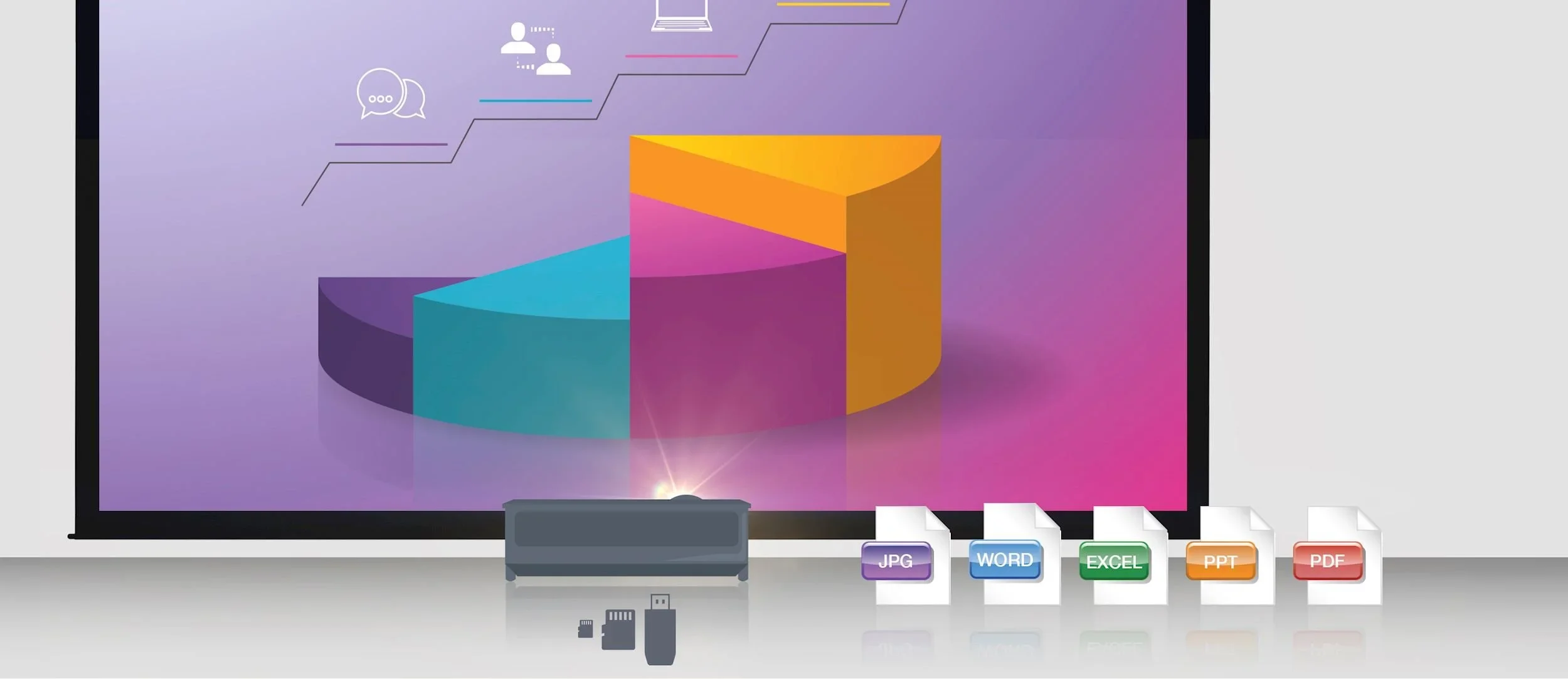
Give presentations directly from your projector without the need of a laptop or PC using the built-in office viewer. Simply copy your Word, Excel, PowerPoint, PDF or JPEG files to a USB stick, SD card or microSD (depending on the projector input*) and display them on the big screen.
*See projector specs for a full list on inputs
Description / Specs
-
Display technology : DLP™
Resolution : WXGA (1280x800)
Brightness : 3,600 lumens
Contrast ratio : 20,000:1
Native aspect ratio : 16:10
Aspect ratio - compatible : 4:3,16:9
Keystone correction - horizontal : +/-4°
Keystone correction - vertical : +/-4°
Horizontal scan rate : 15.375 ~ 91.147Khz
Vertical scan rate : 24 ~ 85(120 for 3D)Hz
Uniformity : 80%
Screen size : 2.16m ~ 2.92m (85" ~ 115") diagonal
Lamp info
Light source type : Lamp
Lamp watts : 240
Lamp life hours (up to) : 4000 (Bright), 12000 (Dynamic), 10000 (Eco), 15000 (Eco+)
Optical
Throw ratio : 0.27:1
Projection distance (m) : 0.49m - 0.66m
Zoom type : Fixed
Focal length (mm) : 3.72mm/0.146"
Native offset : 118%
Connectivity
Connections : Inputs 1 x HDMI 1.4a 3D support + MHL, 1 x HDMI 1.4a 3D support, 1 x VGA (YPbPr/RGB), 1 x Composite video, 1 x Audio 3.5mm, 2 x USB-A reader/wireless
Outputs 1 x VGA, 1 x Audio 3.5mm
Control 1 x RS232, 1 x RJ45
LAN - wireless networking : Yes - optional
General
Noise level (min) : 26dB
Noise level (max) : 28dB
PC compatibility : FHD, UXGA, SXGA, WXGA, HD, XGA, SVGA, VGA, Mac
2D compatibility : NTSC M/J, 3.58MHz, 4.43MHz PAL B/D/G/H/I/M/N, 4,43MHz SECAM B/D/G/K/K1/L, 4.25/4.4MHz 480i/p, 576i/p, 720p(50/60Hz), 1080i(50/60Hz), 1080p(50/60Hz)
3D compatibility : Side-by-Side:1080i50 / 60, 720p50 / 60 Frame-pack: 1080p24, 720p50 / 60 Over-Under: 1080p24, 720p50 / 60
3D : Full 3D
Security : Security bar, Kensington Lock, Password protected interface
OSD / display languages : 25 languages: Arabic, Czech, Danish, Dutch, English, Farsi, Finnish, French, German, Greek, Hungarian, Indonesian, Italian, Japanese, Norwegian, Polish, Portuguese, Romanian, Russian, Chinese (simplified), Spanish, Swedish, Chinese (traditional), Turkish, Vietnamese
Operating conditions : 5°C~40°C/41°F~104°F, max altitude 3000M/9843ft, max humidity 85%
Remote control : Data remote with laser and mouse function
Speaker count : 1
Watts per speaker : 16W
In the box
AC power cord
Remote control
2x AAA batteries
Basic user manual
Optional wireless models : HDCast Pro, QuickCast Bundle, QuickCast starter kit, WHD200, WUSB
Networking
LAN - control : Yes
LAN - display : Yes
LAN - wireless networking : Yes - optional
Power
Power supply : 100 ~ 240V, 50 ~ 60Hz
Power consumption (standby) : 0.5W
Power consumption (min) : 200W
Power consumption (max) : 275W
Weight and dimensions
Dimensions (W x D x H) mm : 343 x 383 x 112
Gross weight : 5.71 kg
Net weight : 3.9 kg
