

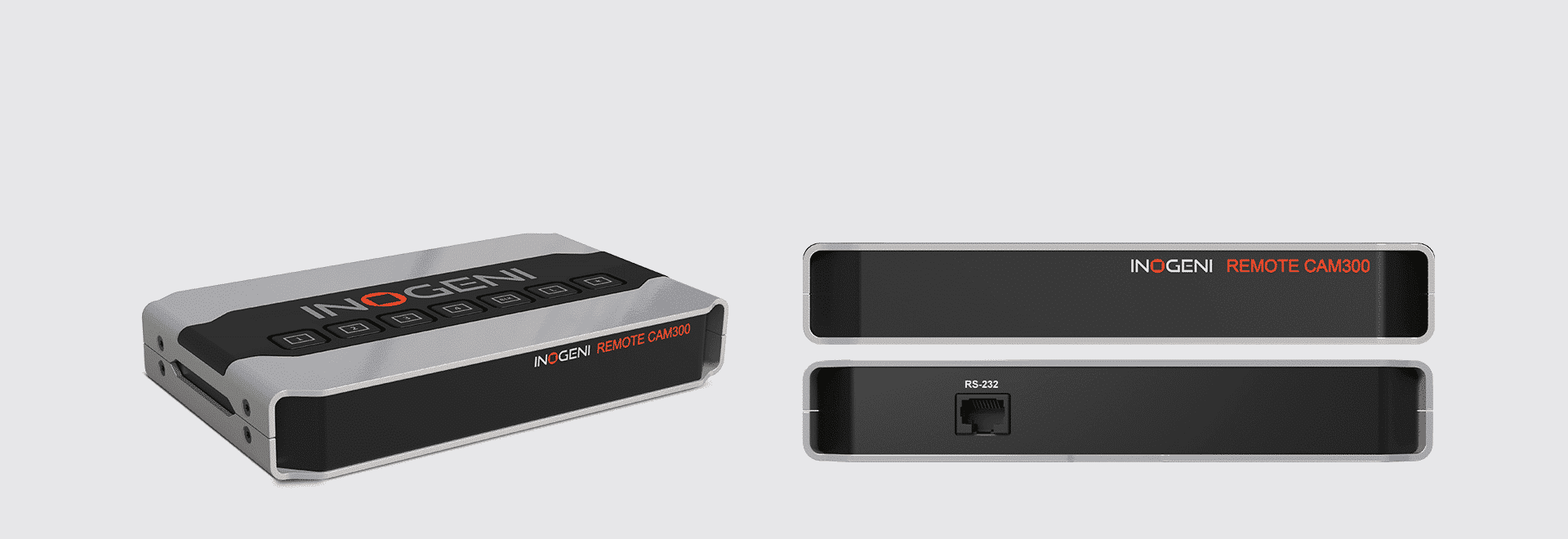
REMOTE
CAM - Control keypad
Keep the flow of your engaging presentation and change camera or mix with a simple click button. INOGENI’s REMOTE control keypad enables longer distance to select the camera mixer configuration for the CAM300 and CAM230, simplifying the control of camera selectors.
How it works
The INOGENI REMOTE is a device that can control the switching function of CAM devices. You just need to correctly connect the REMOTE CAM with the INOGENI CAM300 or CAM230 device. You will then be able to communicate with the device using the push buttons on the top of the device.

Technical Specifications
-
Description
REMOTE-control keypad
REMOTE CAM for CAM300 and CAM230Connected via RJ-45 cable for long distance.
-
Control options
Connectivity
For CAM300 and CAM230 – You need to wire up a RJ45 cable to a terminal block plug. -
Dimensions (W x L x H)
18.5 cm x 11.0 cm x 3.0 cm
7.28” x 4.33” x 1.18”Weight
430 g (0.95 lb)
Package content
1x 10ft RJ45 Ethernet network cable
Operating temperature
0°C to 45°C
32°F to 113°FStorage temperature
-40°C to 105°C
-40°F to 221°FRelative humidity
0% to 90% non-condensing
-
UPC code
051497302818
Origin
Canada
Warranty
5 years: Products purchased by the end-user after August 1, 2024
2 years: Products purchased by the end-user before to August 1, 2024 -
Certifications
FCC, CE, RoHS, IEC62368, SoV
TAA-compliant
Yes
-
1x 10ft RJ45 Ethernet network cable
