

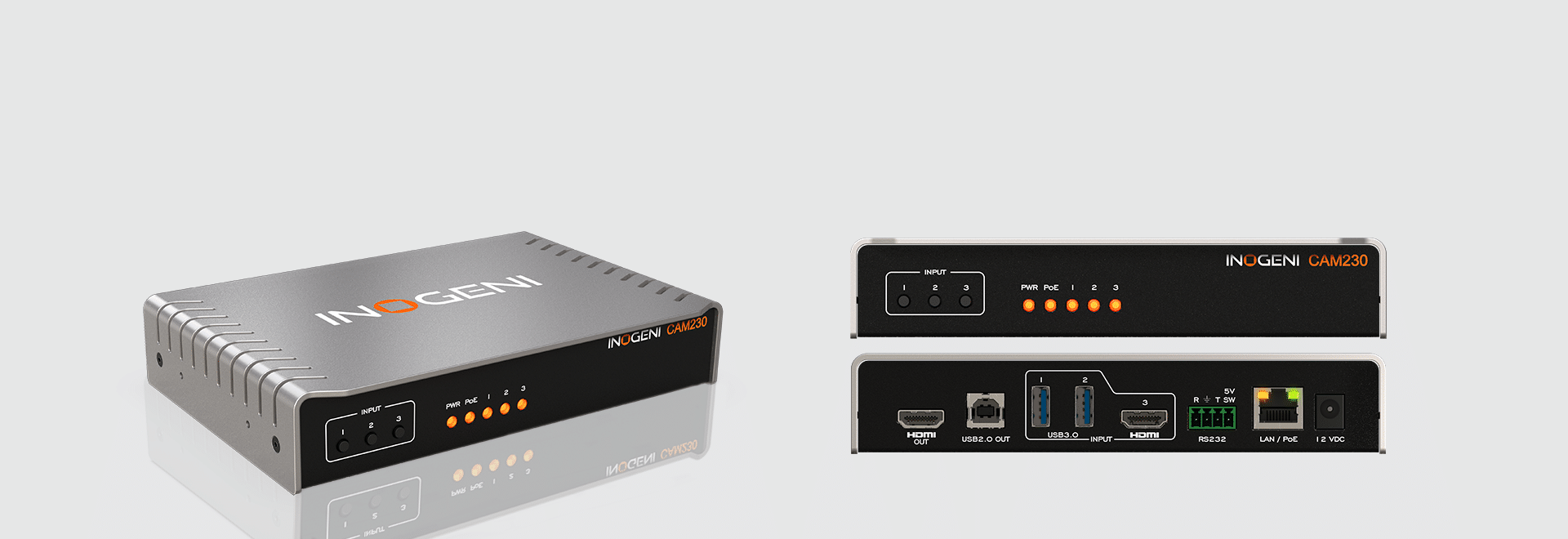
CAM230
Switch 1 of 3 USB/HDMI cameras to USB or HDMI
The INOGENI CAM230 is a USB and HDMI multi-camera switcher that helps improve meeting equity in virtual meetings. With its easy-to-use camera switching capabilities and support for bidirectional audio with videobars, facilitators can ensure that all participants have equal opportunities to speak and contribute.
How it works
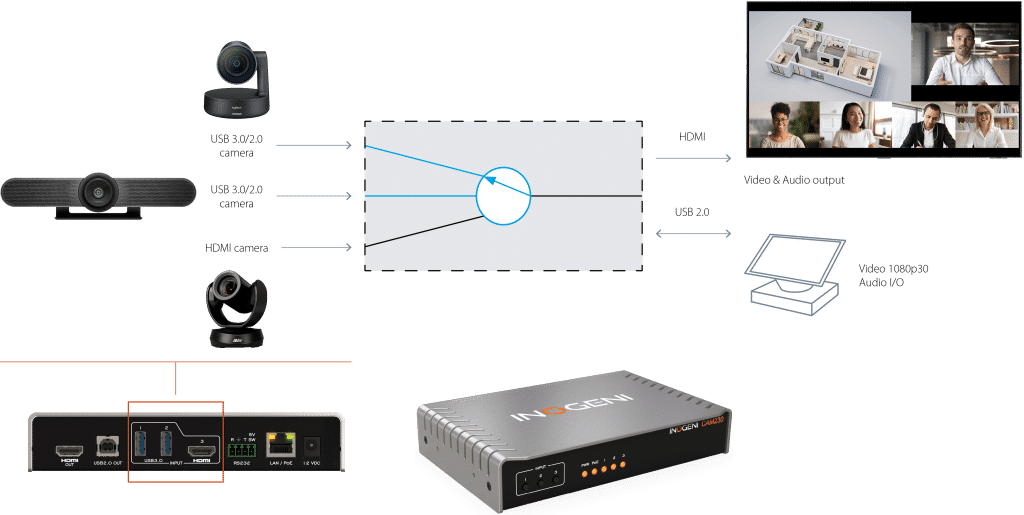
The INOGENI CAM230 is a multi-camera switcher that allows users to easily switch between up to three video cameras during a virtual meeting or presentation. The CAM230 connects to 2x USB 3.0/2.0 cameras and 1x HDMI camera and outputs a single video stream on USB 2.0 MJPEG and HDMI 2.0. With its easy-to-use push-button or via control pad switching, facilitators can ensure all participants are given equal opportunities to speak and contribute to the conversation while supporting whiteboard and document cameras for added collaboration and productivity.
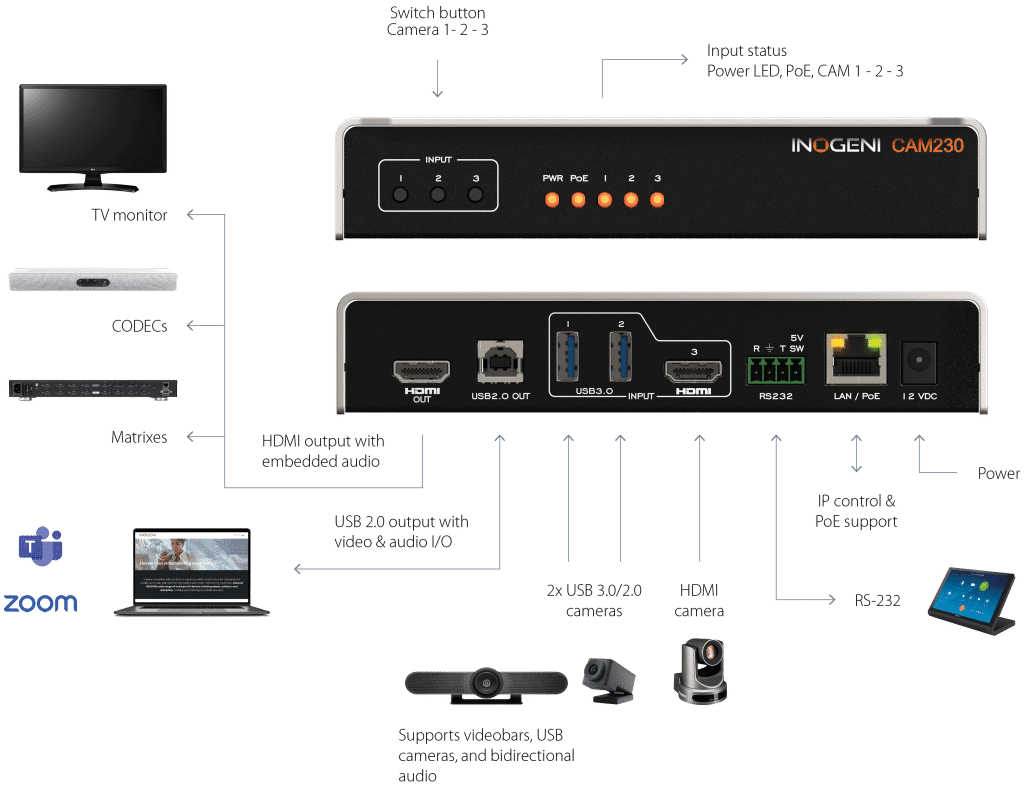
Connects to 2x USB 3.0/2.0 and 1x HDMI cameras
Video output on USB 2.0 and HDMI 2.0
Easy push-button switching or via control pad for seamless camera transitions
Supports whiteboard and document cameras for more efficient collaboration
Cost-effective, versatile, and easy to use for improved meeting equity in virtual settings
Features
The INOGENI CAM230 offers a range of features for a smooth and seamless multi-camera switching experience:
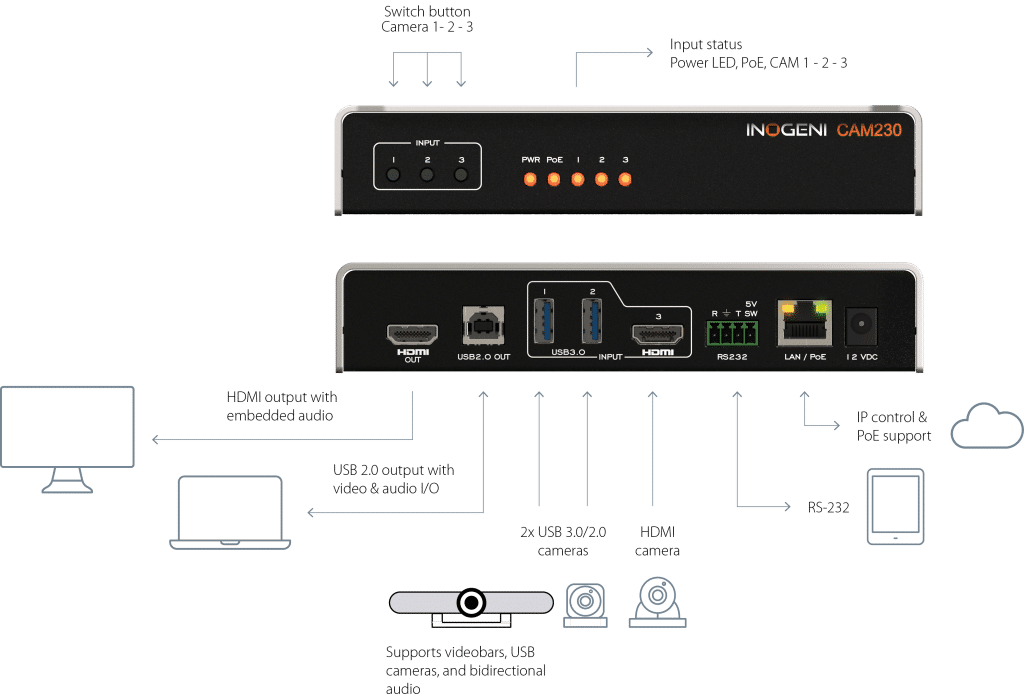
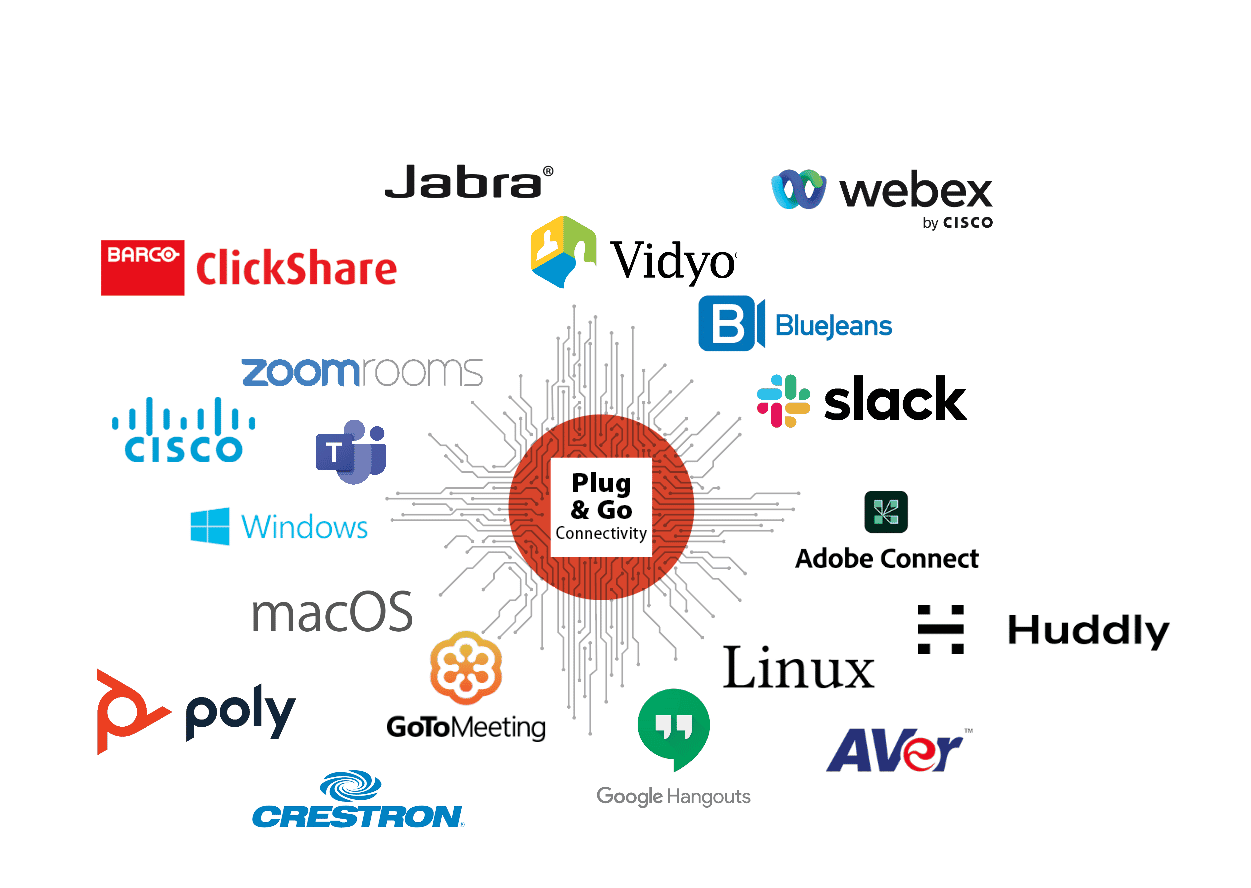
Plug & Go with the INOGENI CAM230
This easy-to-use multi-camera switcher requires no drivers for seamless and effortless switching between 2x USB and 1x HDMI cameras. Capture, mix, and switch with INOGENI’s professional camera selectors for a dynamic and engaging presentation experience. Compatible with Barco ClickShare and Q-SYS.
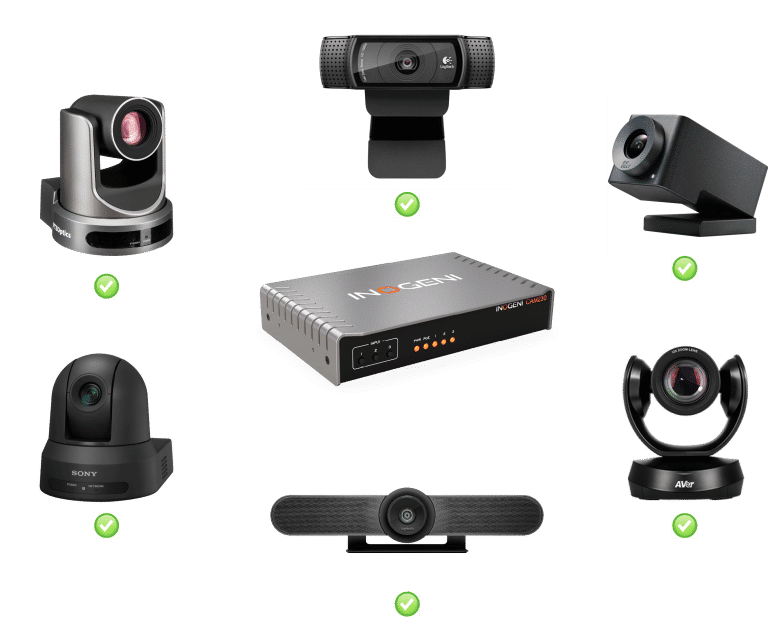
Compatible with all USB &HDMI cameras
FOR MAXIMUM VERSATILITY
This pro AV camera switcher is fully compatible with all USB and HDMI cameras, including professional-caliber equipment, such as Vaddio, Huddly, HuddleCamHD, AVer, Jabra, Logitech, Marshall cameras, and web cameras.
Technical Specifications
-
3:1 Camera selector
(Smooth video switching)3 inputs: 2x USB 3.0/2.0 & 1x HDMI
2 outputs: HDMI 2.0 & USB 2.0 -
#1 Connector & video resolutions
1x USB 3.0/2.0 camera
Uncompressed, YUYV/NV12/I420 – 1080p30
MJPEG – 1080p30#2 Connector & video resolutions
1x USB 3.0/2.0 camera
Uncompressed, YUYV/NV12/I420 – 1080p30
MJPEG – 1080p30#3 Connector & video resolutions
1x HDMI
Up to 1080p50/60Color space
HDMI: RGB, YCbCr 4:4:4 and 4:2:2
USB power
Up to 1.2A shared between the USB ports
-
HDMI
1x HDMI 2.0
Up to 4K60USB
1x USB 2.0 Type-B
UVC interface up to 1080p30 MJPEG.
UAC interface with audio I/O.
PTZ control supported. -
Audio
Audio coming from USB or HDMI camera is converted to HDMI and USB2.0 interface.
Audio coming from USB2.0 interface is converted to USB camera.
Digital audio I/O
Embedded in HDMI or USB
-
Control options
Front buttons
RS-232
LAN
USBIP interface
100 Mbps half-duplex (autonegotiation not supported)
Supports DHCP or static IP addressingRS-232 interface
3x positions – Terminal block
Baud rate: 9600
Data bits: 8
Stop bits: 1
Parity: None
Flow control: None -
Barco ClickShare compatible
Compatible with Barco ClickShare Conference (CX-20, CX-30 & CX-50)
Q-SYS Core processors compatible
Compatible with the Q-SYS Core processors
Operating systems
NO driver installation necessary!
Windows 7 and above (32/64-bit)
macOS 10.10 and above
Linux (kernel v2.6.38)Consumed USB tiers
1 tier
The device is a USB composite device connected to an embedded USB hub.
USB tiers between USB cameras and the device are not reported to the connected host. The device acts in some way as a “tier resetter”.Minimum host requirements
USB 2.0 port
4GB RAM
Intel Core i5 or equivalent
Graphic card with dedicated memorySupported cameras
Cameras with an HDMI, DVI or USB 3.0/2.0 output
Software Compatibility
UVC-compliant. Runs with all software compatible with DirectShow, AVFoundation and V4L2.
Compatible with: Teams, Zoom, Webex, Google Meet, etc.
-
Video switch speed
Less than 0.2 second for switching between USB inputs.
Less than 0.2 second for switching between HDMI inputs with same video resolution.
Less than 0.2 second for switching between USB input and “active” HDMI input and vice-versa.
Up to 2 seconds switching between HDMI inputs if video resolutions are different.*Active HDMI input is the last selected HDMI input.
-
Dimensions (W x L x H)
17.3 cm x 11.6 cm x 4.1 cm
6.81″ x 4.57″ x 1.61″Power supply
12V (100-240 VAC 50/60Hz to 12V/1.2A DC)
– or –
PoE source compliant with IEEE 802.3af (802.3at Type 1)Weight
570 g (1.26 lb)
Package content
1x 1 m/3.3 ft USB 2.0 cable (Type-A to Type-B)
1x RS-232 terminal block adapter
1x power supply 100-240 VAC 50/60Hz to 12V/1.2A DC
International adapters included in the box (AUS, EUR, UK and US)Operating temperature
0° to 45° C
32° to 113° FStorage temperature
-40° to 105° C
-40° to 221° FRelative humidity
0% to 90% non-condensing
-
UPC code
051497302825
Origin
Canada
Warranty
5 years: Products purchased by the end-user after August 1, 2024
2 years: Products purchased by the end-user before to August 1, 2024 -
> Certifications available on the Support Tab
HDCP-compliant
The INOGENI device does not decrypt BD/DVD movies, satellite/cable receivers or other encrypted sources.
Certifications
FCC, CE, RoHS, IEC62368, SoV, NOM
TAA-compliant
Yes
-
1x 1 m/3.3 ft USB 2.0 cable (Type-A to Type-B)
1x RS-232 terminal block adapter
1x power supply 100-240 VAC 50/60Hz to 12V/1.2A DC
International adapters included in the box (AUS, EUR, UK and US)
Resources
-
-
-
-
> Q-SYS control plugin – INOGENI CAM Series
Note: Q-SYS module is available in Q-SYS Designer Asset Manager -
-
-
